
No. You open Chrome on Android or Safari on iPhone, go to the LuckyHills site, log in, and play. The Lucky Hills mobile casino runs entirely in the browser, so no app store visit is required.
 Welcome pack for 2 depositsGet 2 000 AUD + 100 Free Spins on slots and Live
 Loyalty ProgramEnjoy cashback, no-deposit rewards, and more
Lucky Hills Mobile Browser
You can open our Lucky Hills mobile casino straight in your phone browser and start playing in seconds. No app store, no download, no waiting. Just type the address into Chrome or Safari, log in, and you are in. Your deposit options, bonuses, and account tools sit exactly where you expect them. This page explains what works in the browser, how it compares with our installed app, and where its limits are.
What Works in the Mobile Browser
Everything you do on desktop, you can do in your phone browser too. Slots, live dealer tables, table games, and crash titles all run directly in Chrome or Safari without a separate install. Tap a game and it opens; the controls reshape to fit your screen. The Lucky Hills casino mobile experience covers deposits and withdrawals from the same Cashbox you see on desktop. If you want the full list of payment limits before depositing, our LuckyHills casino app page lays them out, and the browser uses the same figures. Withdrawals start at 80 AUD.
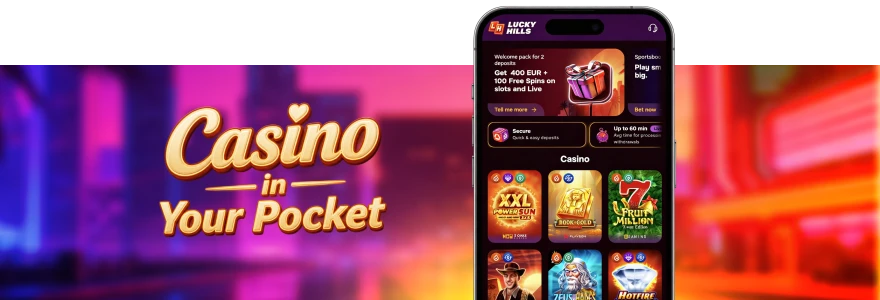
Bonuses work in the browser as well. You can claim the 100% first deposit bonus plus 100 Free Spins, activate weekly cashback, and track wagering from the dropdown next to your balance. Here is what runs without any install:
- All 7,000+ slots and live tables
- Full Cashbox for deposits and withdrawals
- Welcome offers, Wednesday Free Spins, and Sunday Gift
- VIP Club progress and weekly cashback
Mobile Browser vs Lucky Hills App
The browser and the app pull from the same account, so your balance, bonuses, and VIP level stay identical on both. The main difference is how you reach the games and one extra reward. Our app uses PWA technology, which means you install it straight from the browser rather than an app store. Install it once and you get 20 Free Spins in a top slot at a 0.1 AUD bet, wagered x40 — a one-time reward the browser version does not give. If you want that bonus, the Lucky Hills app bonuses page explains how to activate it in your Profile. The installed app also remembers your login, so you skip signing in every visit.
| Feature | Mobile Browser | Installed App |
| Install needed | No | Yes, via PWA |
| 20 Free Spins install bonus | No | Yes |
| One-time login | No | Yes |
| Games and payments | Full | Full |
| Home screen icon | No | Yes |
If you switch to the app later, your LuckyHills account login carries across without re-registration, since both share one account.
Supported Browsers
The Lucky Hills casino mobile site runs on the standard browsers already on your phone. On Android, use Chrome. On iPhone and iPad, use Safari. Both render our games and Cashbox correctly with no add-ons. If you decide to install the app instead of just browsing, the browser you use matters. On Android you install through Chrome by tapping the three dots and choosing the install option. On iOS you tap the Share icon in Safari and select Add to Home Screen. Our LuckyHills Android guide walks through the Chrome steps with screenshots, and the process takes under a minute. For iPhone owners, the Lucky Hills iPhone guide covers the Safari method in the same way.
A quick checklist before you start:
- Android: open Chrome
- iPhone: open Safari
- Go to the LuckyHills website
- Log in or register
Mobile Browser Limitations
The browser version has two real limits worth knowing before you choose it. First, it does not save your login. Each time you return, you sign in again, while the installed app keeps you logged in. Second, the 20 Free Spins install reward is tied to the app, so browsing alone will not unlock it. You also have no home screen icon, which means reaching us through a bookmark or by typing the address.
The LuckyHills mobile version installed as a PWA app removes all three of these limits at once — one-time login, a home screen icon, and the install bonus all come with it. If a page ever fails to load or freezes mid-session, our LuckyHills app issues page lists the common fixes. Beyond these points, the browser handles games and payments at full capacity.
FAQ
Do I need to download anything to play in the browser?
Can I deposit and withdraw from my phone browser?
Yes. The Cashbox works the same as on desktop. You can deposit from 10 AUD using cards, Neosurf, MiFinity, or crypto, and withdrawals start at 80 AUD with the same monthly cap of 40,000 AUD.
Will my bonuses work in the browser?
They will. The 100% first deposit bonus, 100 Free Spins, weekly cashback up to 10%, and the Sunday Gift all apply in the browser. Only the 20 Free Spins install reward needs the app.
Is the browser version different from the app?
The games, payments, and account are identical because both share one login. The app adds one-time sign-in and the install bonus, while the browser needs you to log in each visit.
Which phones can run the casino in a browser?
Any phone with an up-to-date Chrome or Safari browser. Android users open Chrome; iPhone and iPad users open Safari. Open Chrome or Safari, go to LuckyHills, and log in to start playing — no download stands between you and the games.
Thank you! Your review has been successfully published
Write review
First deposit bonus
100% bonus + 100 Free Spins

- Max bonus:1 000 AUD
- Min deposit:30 AUD
- Wager:x40
- Win limit:3 000 AUD
- 100 FS:20 FS daily for 5 days
User reviews