
Yes. The install costs nothing and uses no App Store payment. You simply add our casino to your home screen through Safari and sign in with your existing AU account.
 Welcome pack for 2 depositsGet 2 000 AUD + 100 Free Spins on slots and Live
 Loyalty ProgramEnjoy cashback, no-deposit rewards, and more
LuckyHills iPhone Guide for Aussie Players
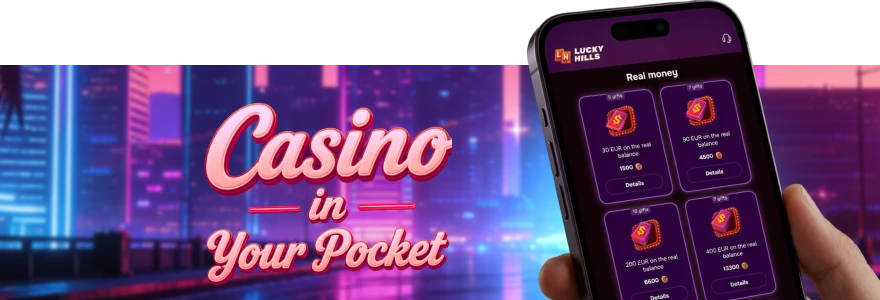
Installing the Lucky Hills casino app on your iPhone takes less than a minute, with no App Store download required. We use Progressive Web App (PWA) technology, so you add our casino straight from Safari to your home screen. That means you get one-tap access to all games, your bonuses and the Cashbox without filling up your storage. This guide walks Aussie players through every step, from install to first login, plus quick fixes if something stalls during LuckyHills iPhone app installation.
How to Install Lucky Hills on iPhone
Adding our casino to your iPhone runs entirely through Safari. The LuckyHills iOS install uses Add to Home Screen, so you skip the App Store completely. Follow these steps in order:
- Open the Safari browser on your iPhone.
- Go to our LuckyHills website.
- Tap the Share icon at the bottom of the screen.
- Choose Add to Home Screen.
- Confirm, and the app appears on your device screen.
Once the icon lands on your home screen, you tap it like any standard app. New to our casino? You can begin the Lucky Hills app download directly from this page, then return to Safari to finish the home-screen step. The whole setup is identical for iPhone and iPad, so your Aussie account works the same on both.
iPhone and iPad Compatibility
The LuckyHills iOS app runs on any iPhone or iPad with a current Safari version. Because it is a PWA, you do not need a specific iOS build or extra storage space for a heavy file. The web app loads in fractions of a second and behaves like a native icon on your screen.
Here is what works on each Apple device:
| Apple device | Browser for install | Result |
| iPhone | Safari | Home-screen icon, full game access |
| iPad | Safari | Same layout, larger screen |
If you also use an Android phone or tablet, the install path differs slightly. You can check our Lucky Hills Android guide for that route, while iPhone owners stay on Safari. Both versions connect to the same AU account and AUD balance.
What you Get After Install on iPhone
Once the LuckyHills icon is on your home screen, open it and sign in to start playing. The app gives you one-time authorisation, so you stay logged in between sessions without re-entering details each time. From there you reach slots, Live Casino tables and the Cashbox in a couple of taps. You manage every offer through the Lucky Hills bonus offers section, where the wager of x40 applies to cash bonuses and Free Spins wins. If the icon ever signs you out, the LuckyHills app login page gets you back in fast.
Troubleshooting iPhone Installation at LuckyHills
If the Add to Home Screen option does not appear, you are probably using a browser other than Safari. The Lucky Hills mobile install on iPhone only works through Safari, so switch over and try again. A quick page refresh usually fixes a stalled load.
Common fixes for Aussie iPhone users:
- Clear the Safari cache, then reopen the LuckyHills site.
- Check your internet connection before retrying the Share step.
- Update iOS if Safari behaves oddly on an older version.
For deeper issues, our LuckyHills troubleshooting guide covers errors that stop the app from opening. You can also reach our support team via live chat if a problem persists.
FAQ
Is the LuckyHills iOS app free to install?
Can I use Apple Pay to deposit on my iPhone?
Yes, Apple Pay is one of our accepted methods. The minimum is 20 AUD and the maximum is 500 AUD per transaction, so it suits quick top-ups on the go.
Why won’t the app icon appear on my home screen?
This nearly always happens when you use a browser other than Safari. Open the LuckyHills site in Safari, tap Share, then choose Add to Home Screen, and the icon will appear.
Do bonuses work the same in the iPhone app?
They do. Your AUD balance, deposit bonuses and Free Spins carry across, and the same x40 wager applies. You activate each offer in the Bonuses tab of your Profile.
Does the Lucky Hills mobile app support iPad too?
Yes. The same Safari install method adds our casino to an iPad home screen. The layout simply fills the larger display while keeping every feature your iPhone has.
Thank you! Your review has been successfully published
Write review
First deposit bonus
100% bonus + 100 Free Spins

- Max bonus:1 000 AUD
- Min deposit:30 AUD
- Wager:x40
- Win limit:3 000 AUD
- 100 FS:20 FS daily for 5 days
User reviews